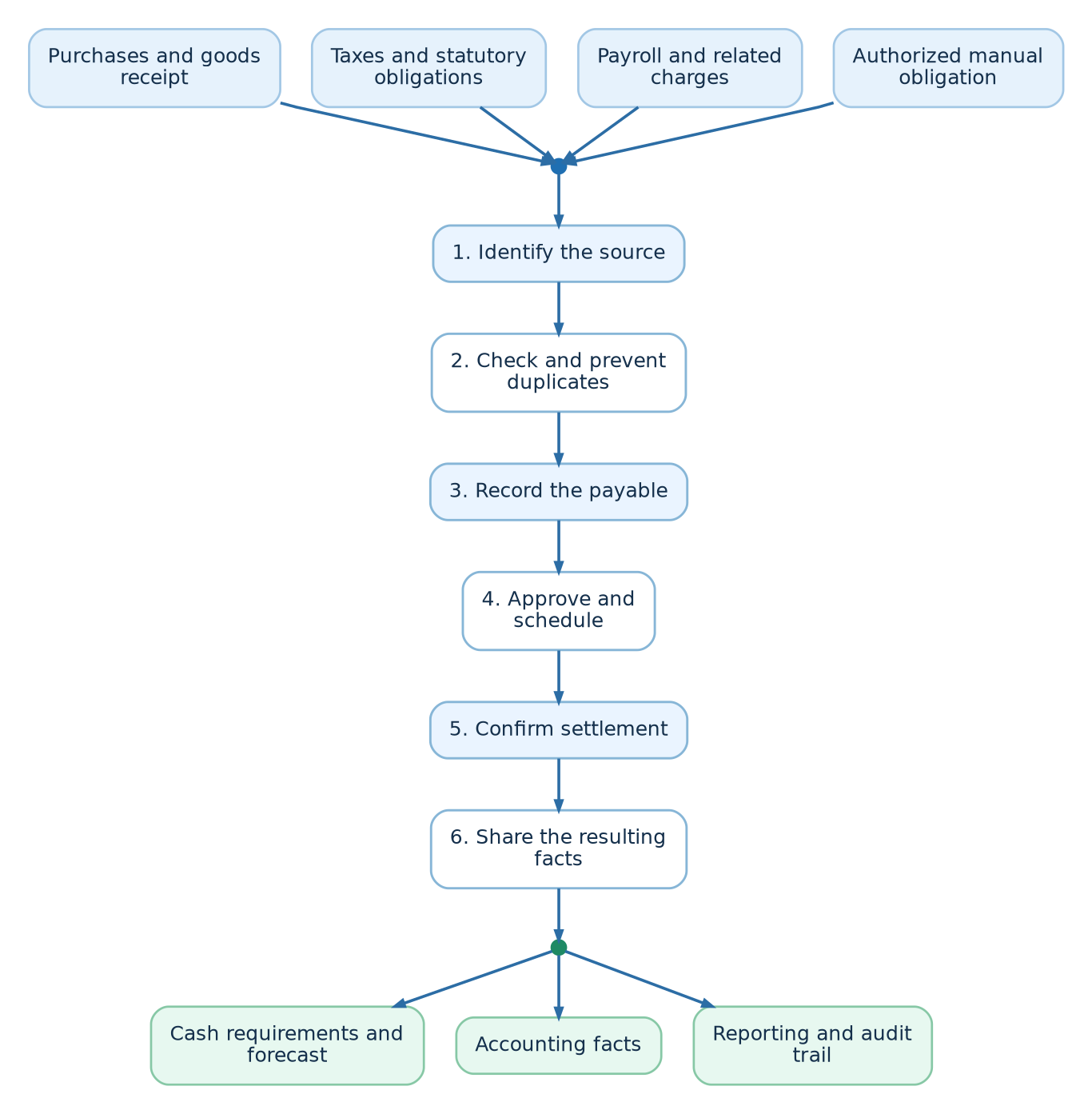
Finance and control FIN-AP
Accounts payable
From purchasing or other liabilities to settlement, with a single source and accounting effects.
Open in new tab ↗OIKVRA connects business activities through traceable events and documents. The diagrams below show where information comes from, what each area does and what other modules can use next.
These are reference maps, not evidence of a live production demonstration. Available steps, integrations and automations depend on the release, deployment, license and certification.
Each diagram identifies the source event, its processing stages, and effects across domains. ERP coherence can be assessed through lineage, states, validations, and outcomes.
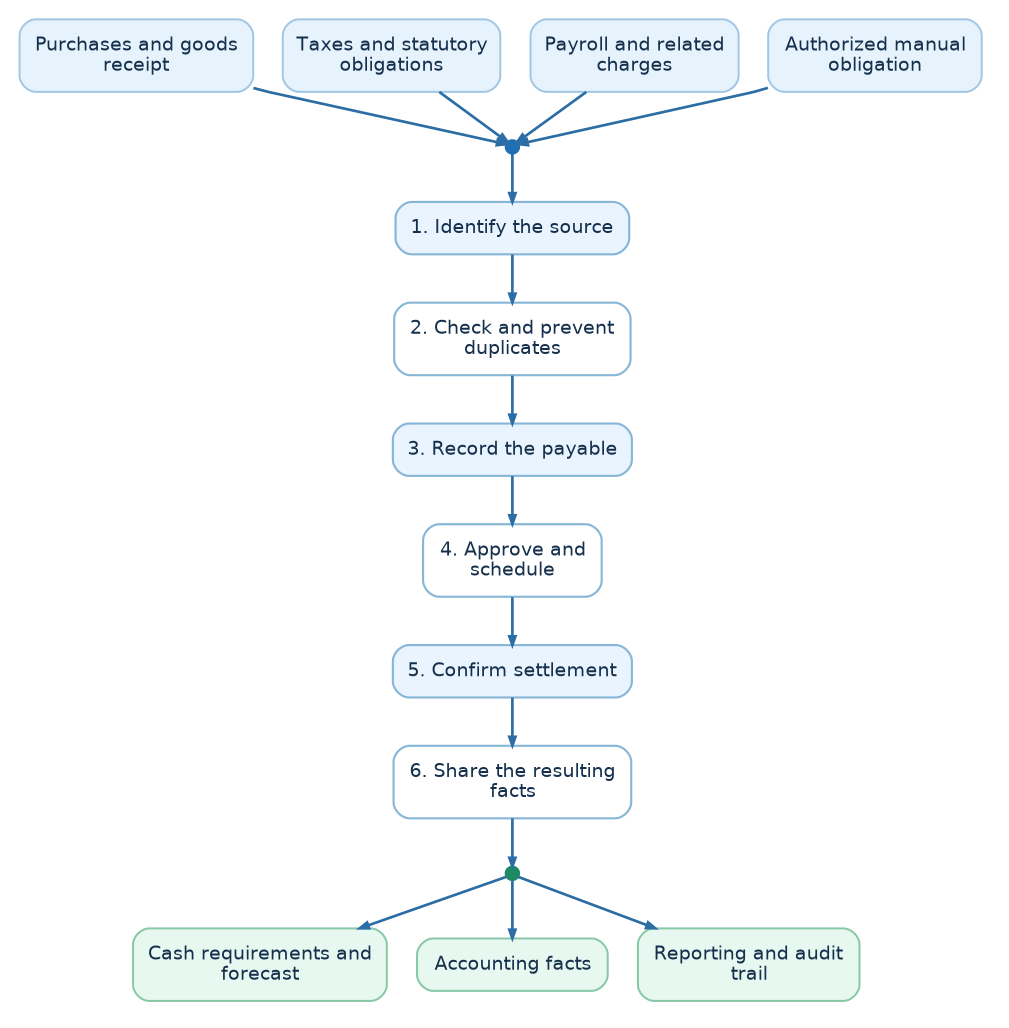
Purchases, taxes, payroll and authorized entries can generate payables. This map separates source, validation, scheduling, payment, reconciliation and accounting effects without duplicating the liability.
From purchasing or other liabilities to settlement, with a single source and accounting effects.
Open in new tab ↗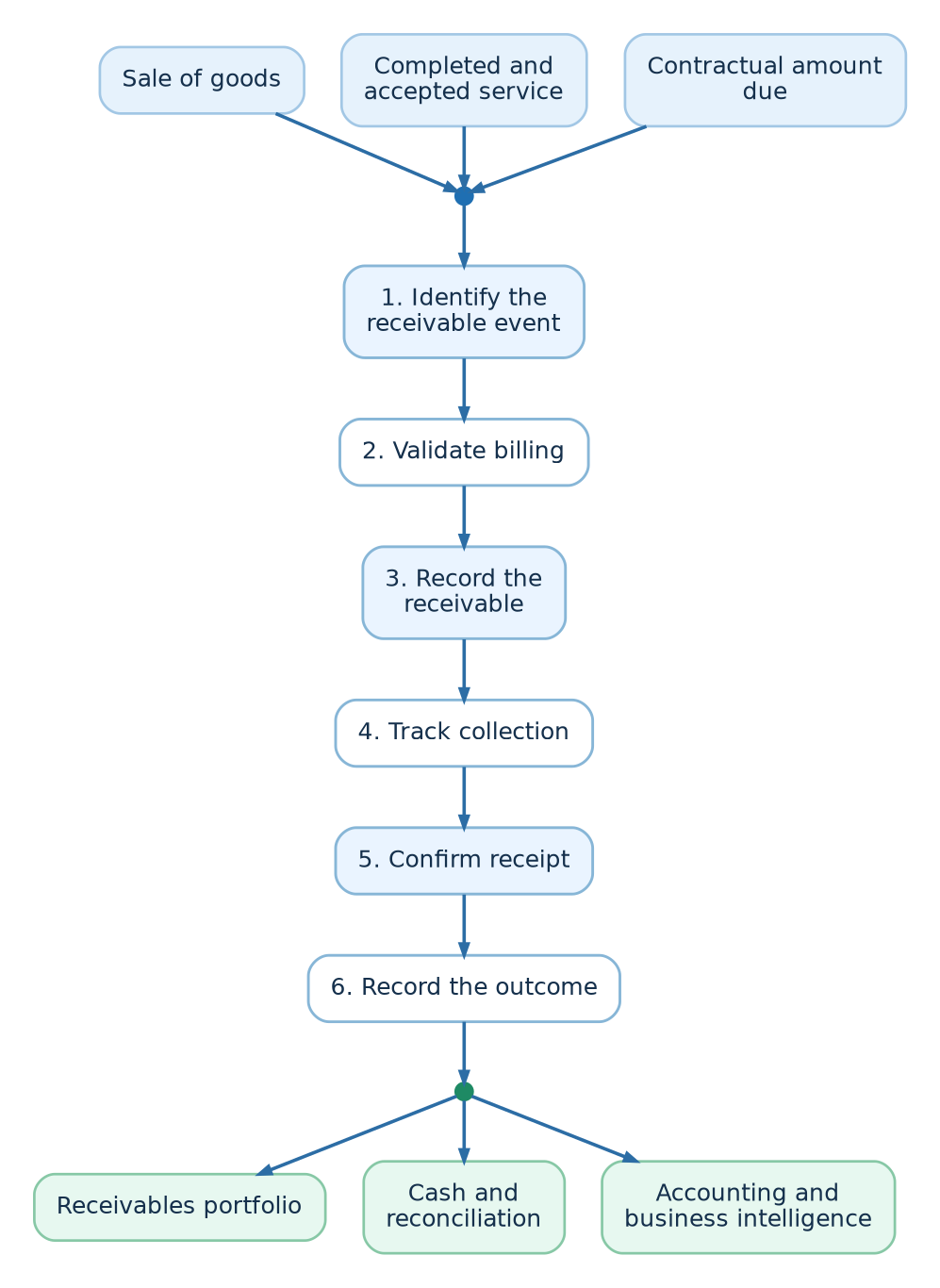
From sales or services through collections, receipts and reconciliation.
Open in new tab ↗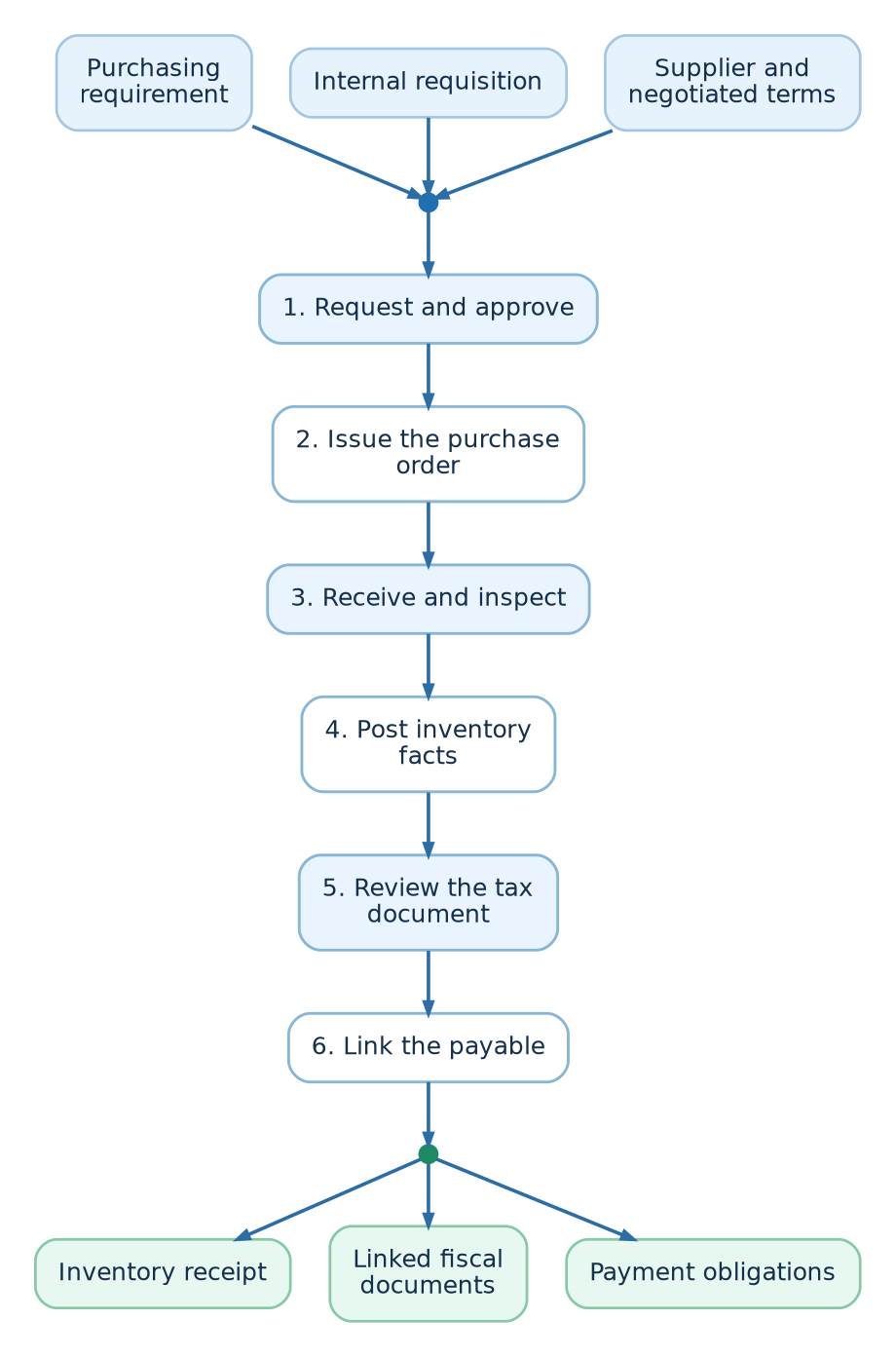
Request, purchase order, receipt, tax documentation and business effects.
Open in new tab ↗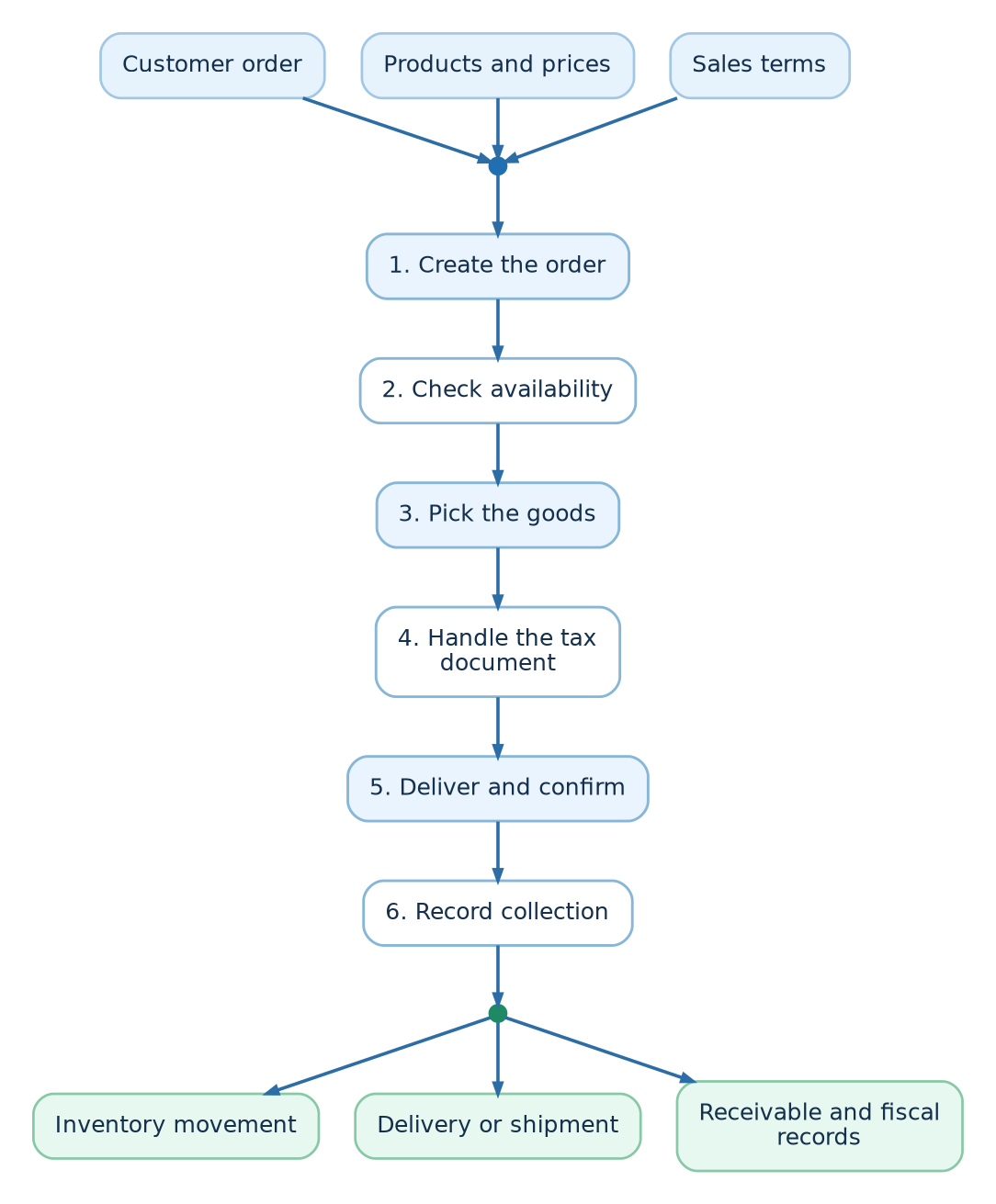
Order, picking, delivery, receivables and fiscal records.
Open in new tab ↗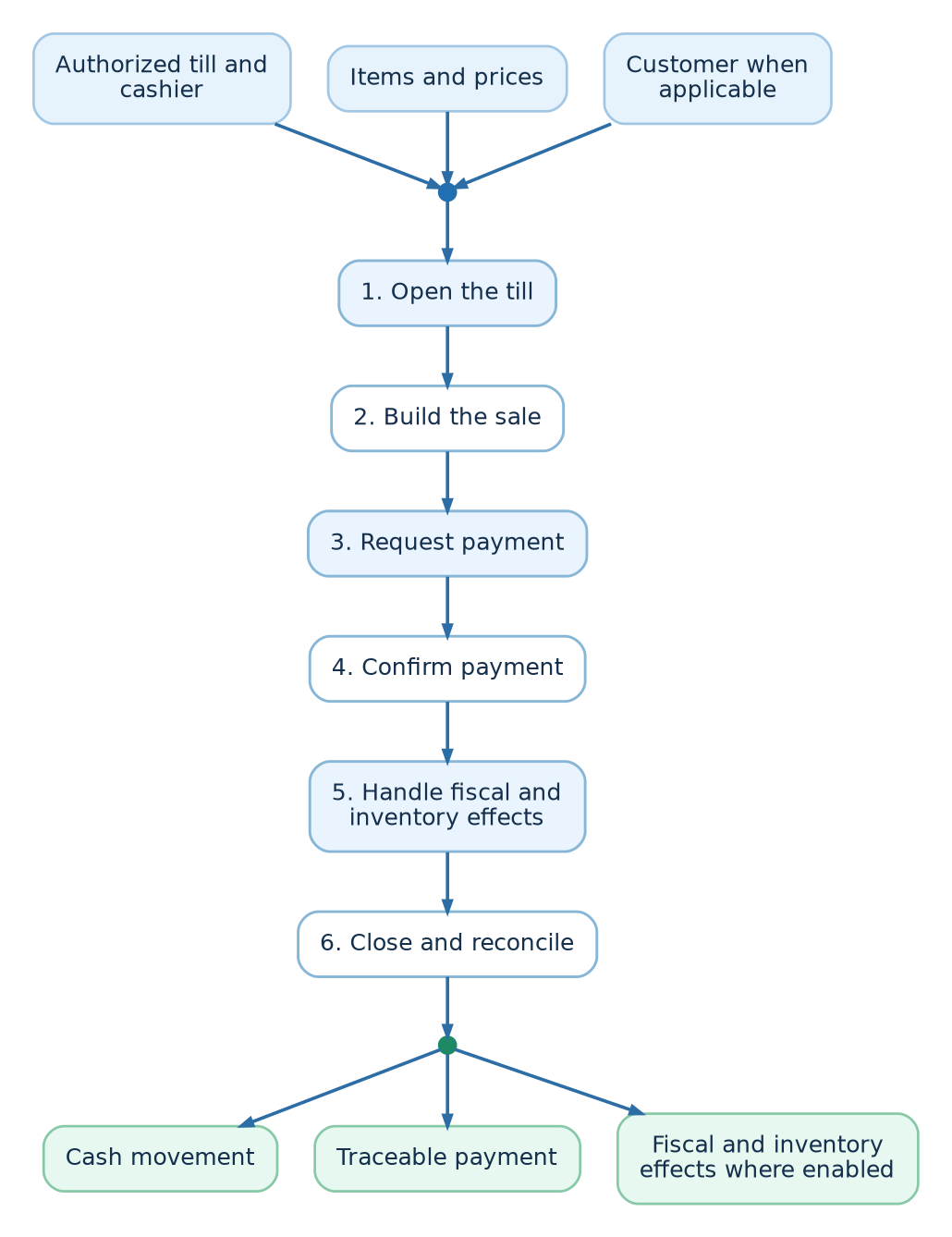
Till opening, sale, payment instruments, closing and cash verification.
Open in new tab ↗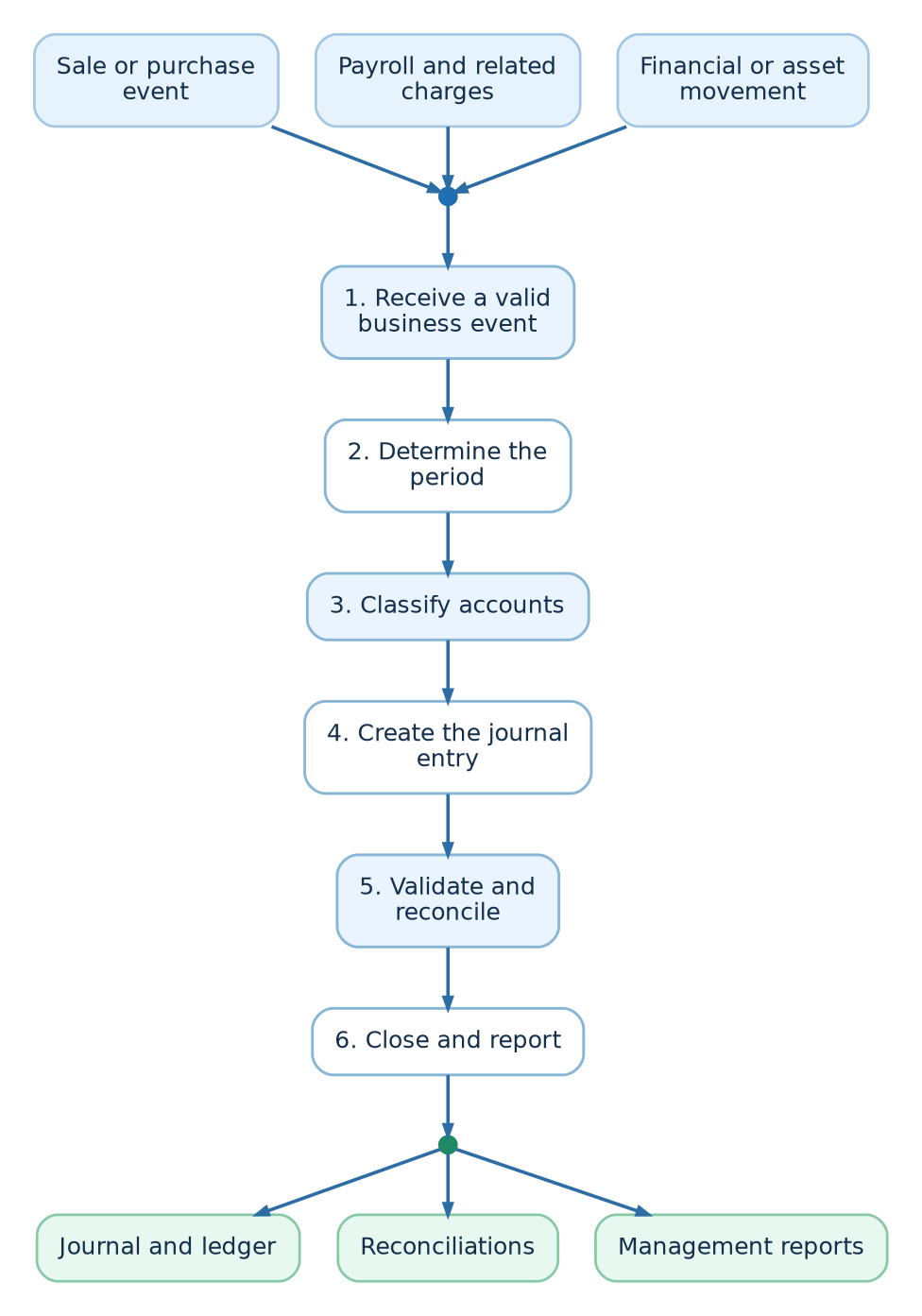
Source events, balanced postings, periods and audit trail.
Open in new tab ↗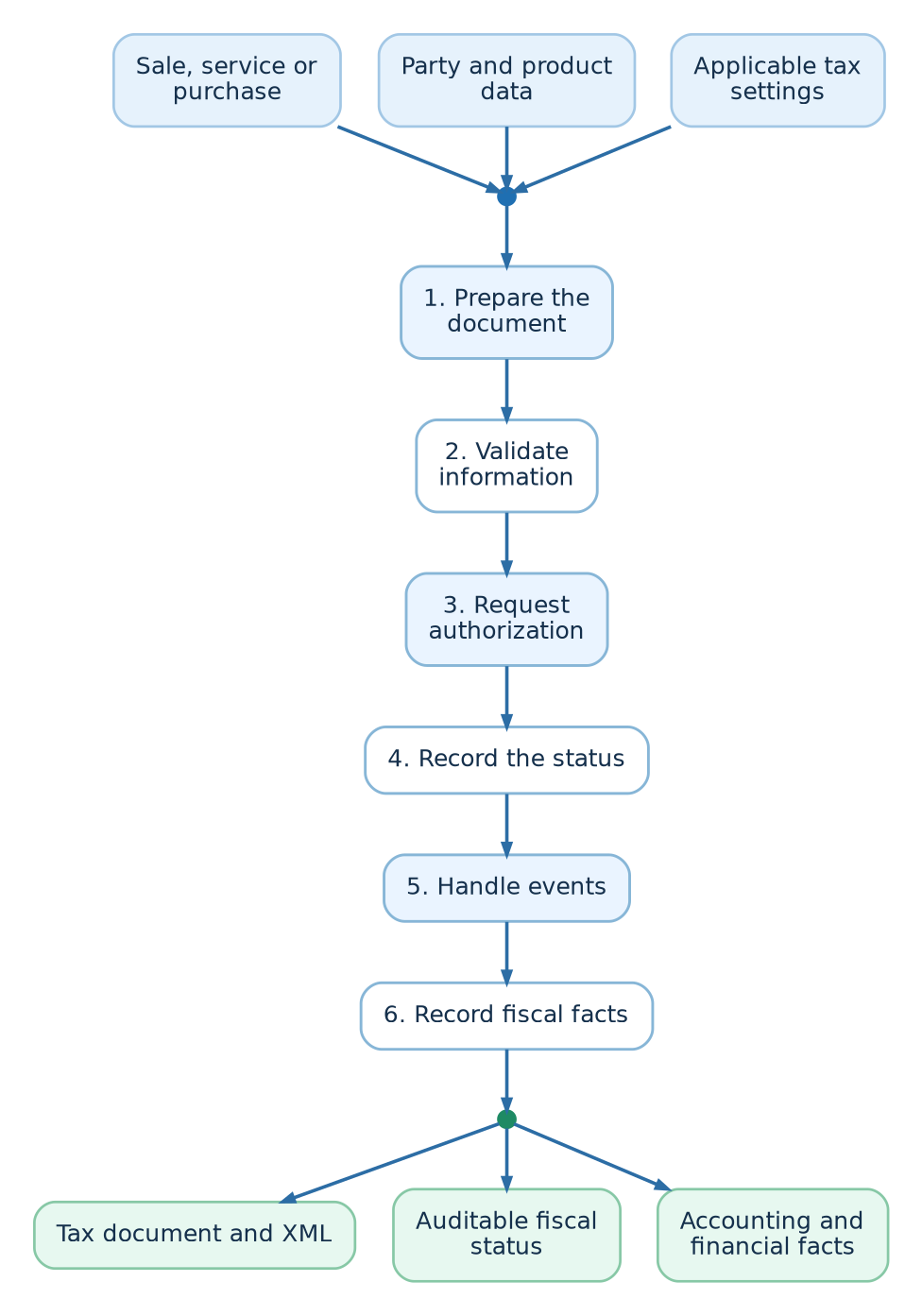
Fiscal document, validation, status transitions, events and cross-domain effects.
Open in new tab ↗
Worker records, time tracking, payroll processing and obligations.
Open in new tab ↗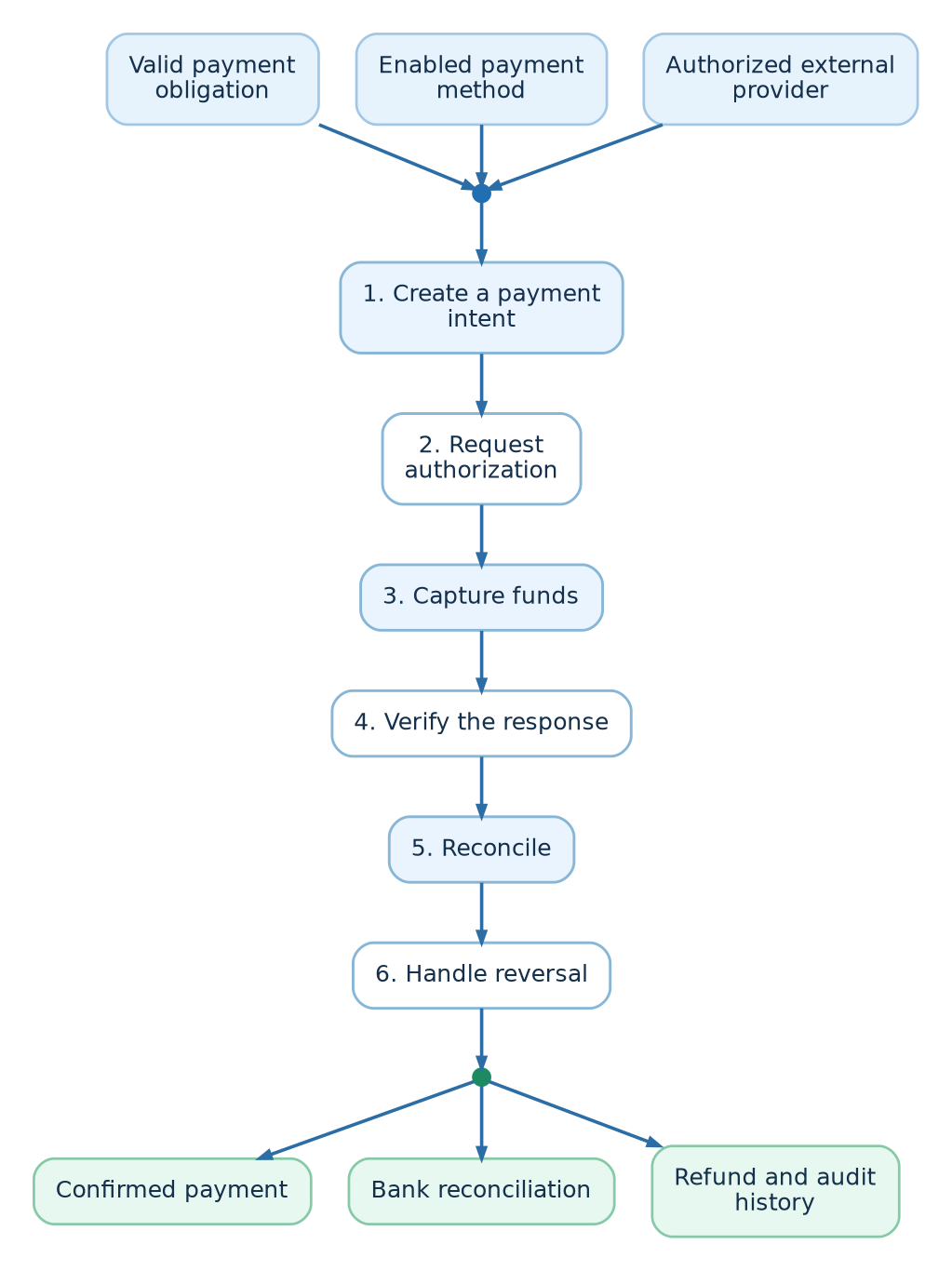
Payment initiation, authorization, confirmation, settlement and reconciliation.
Open in new tab ↗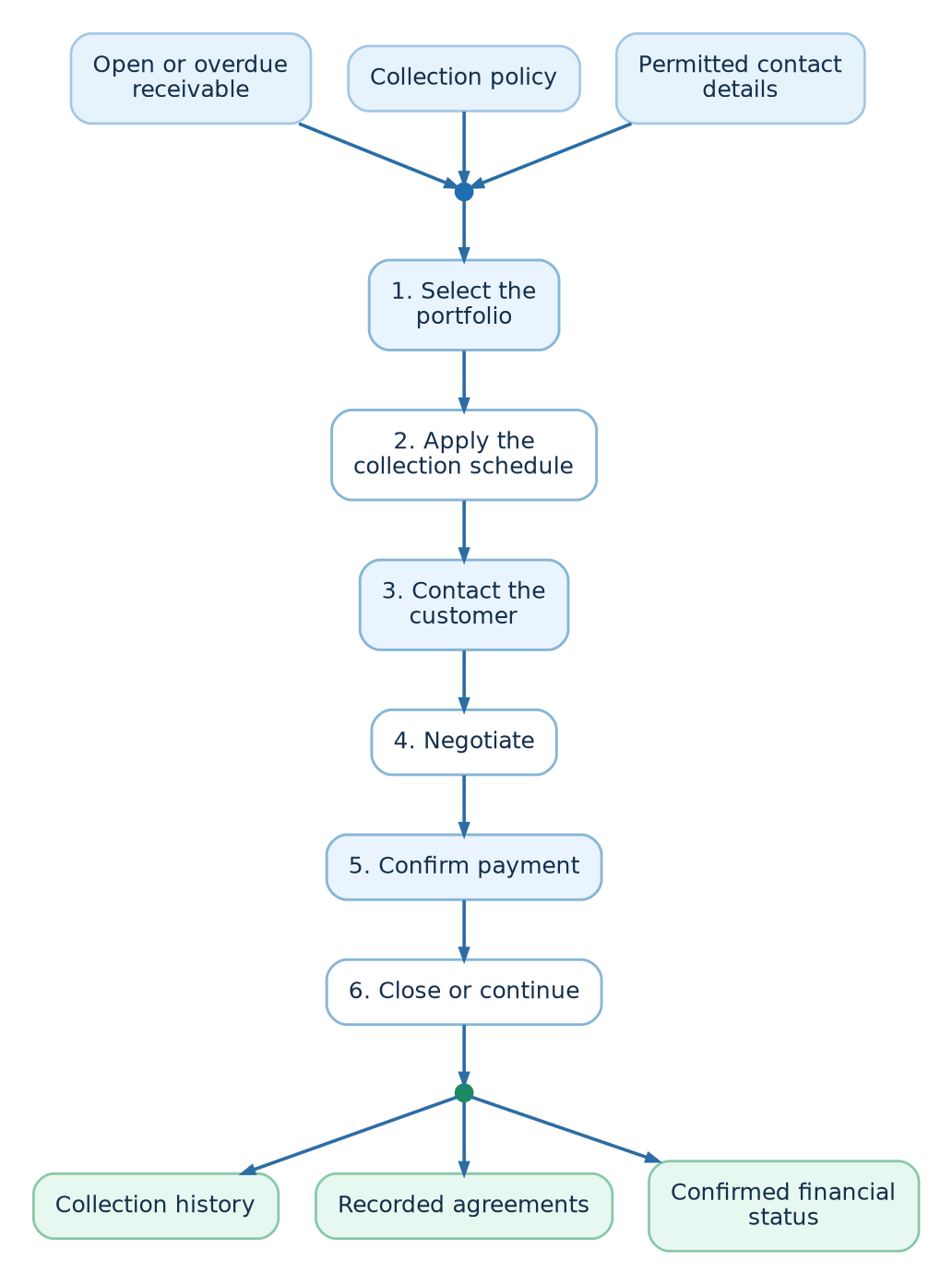
Due dates, collections strategy, negotiations and receivable updates.
Open in new tab ↗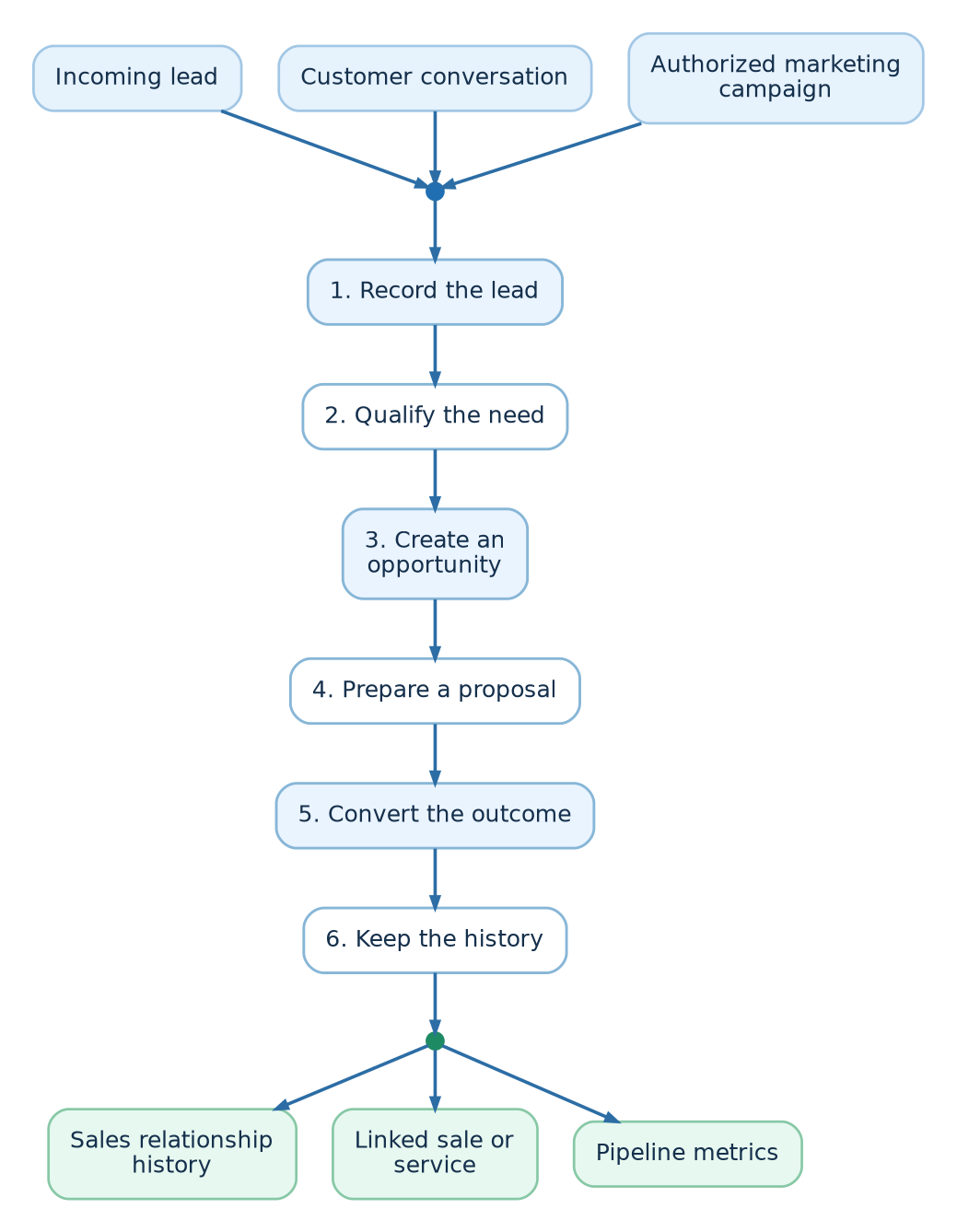
Lead, relationship, opportunity, proposal and sales conversion.
Open in new tab ↗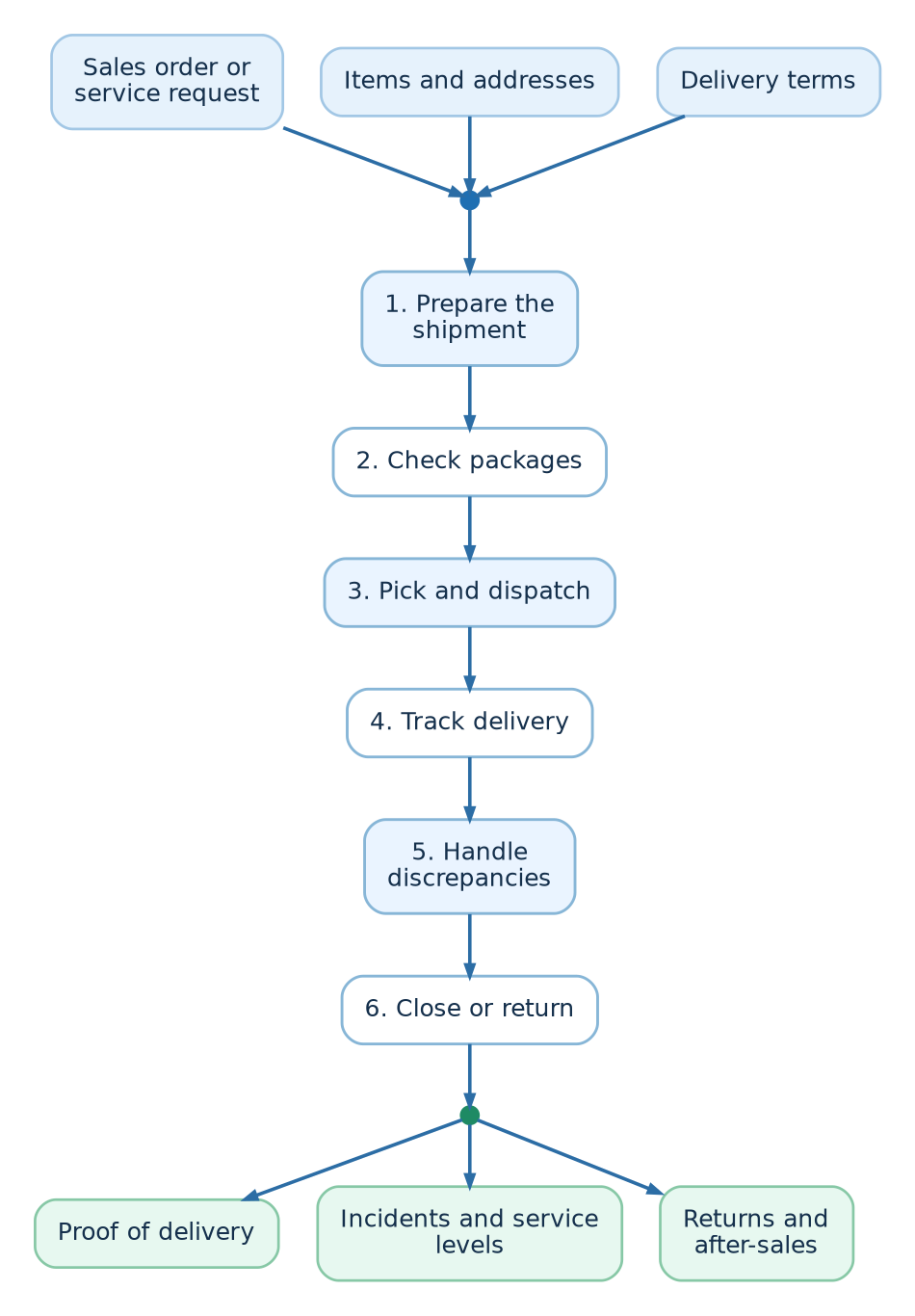
Dispatch, transport, tracking, delivery and returns.
Open in new tab ↗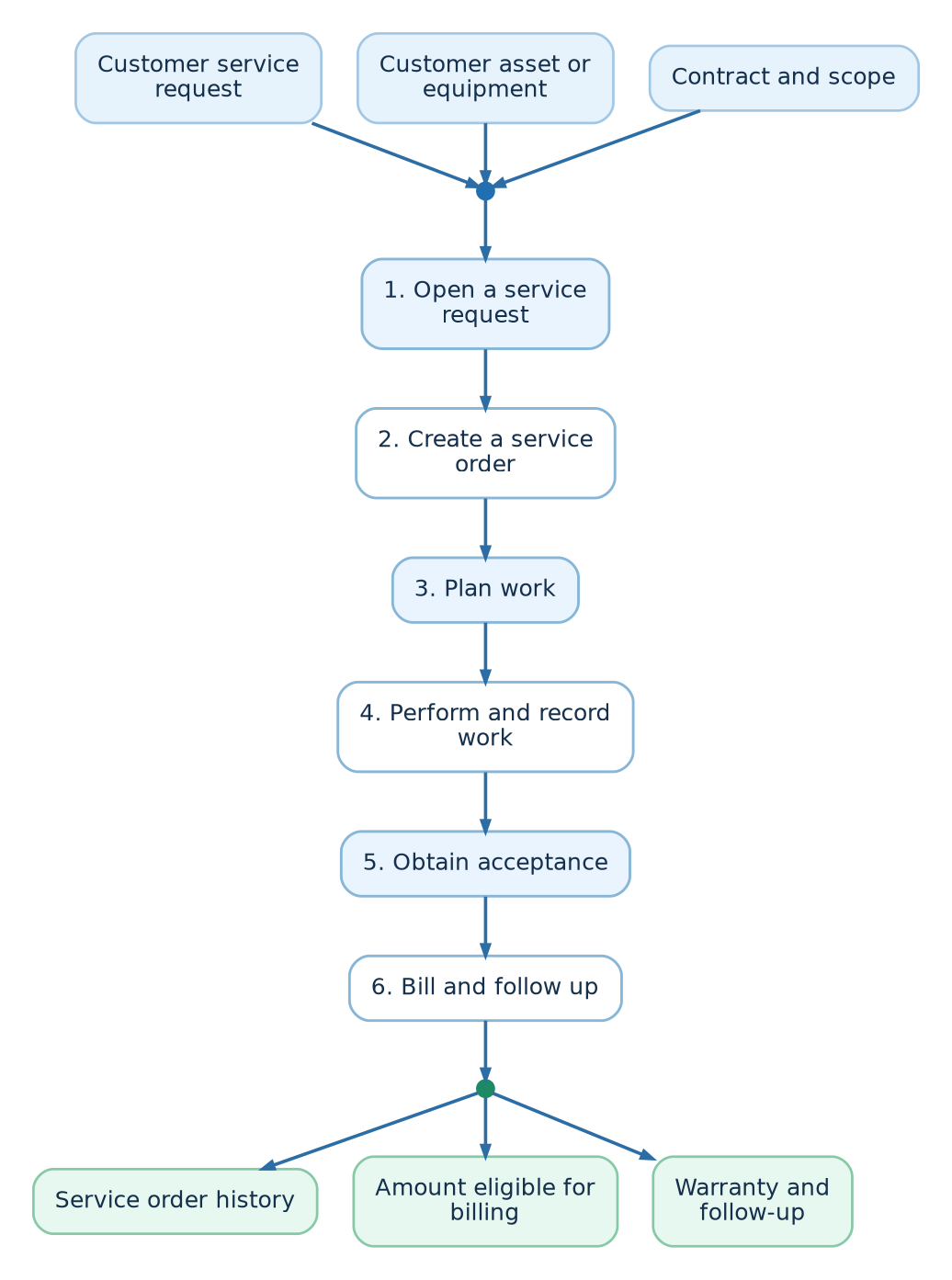
Customer intake, service order, execution, acceptance and after-sales.
Open in new tab ↗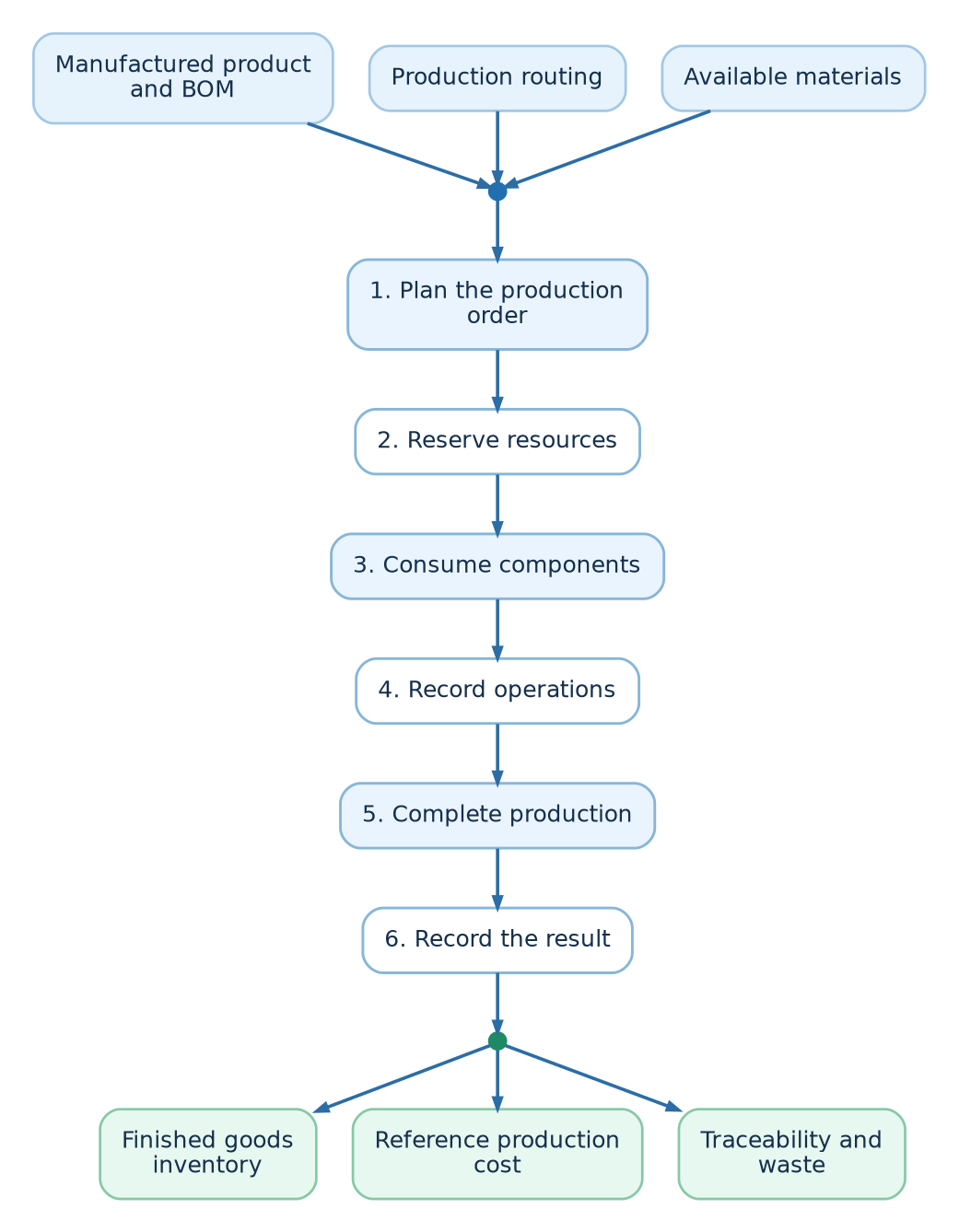
Components, bills of materials, production, consumption and traceability.
Open in new tab ↗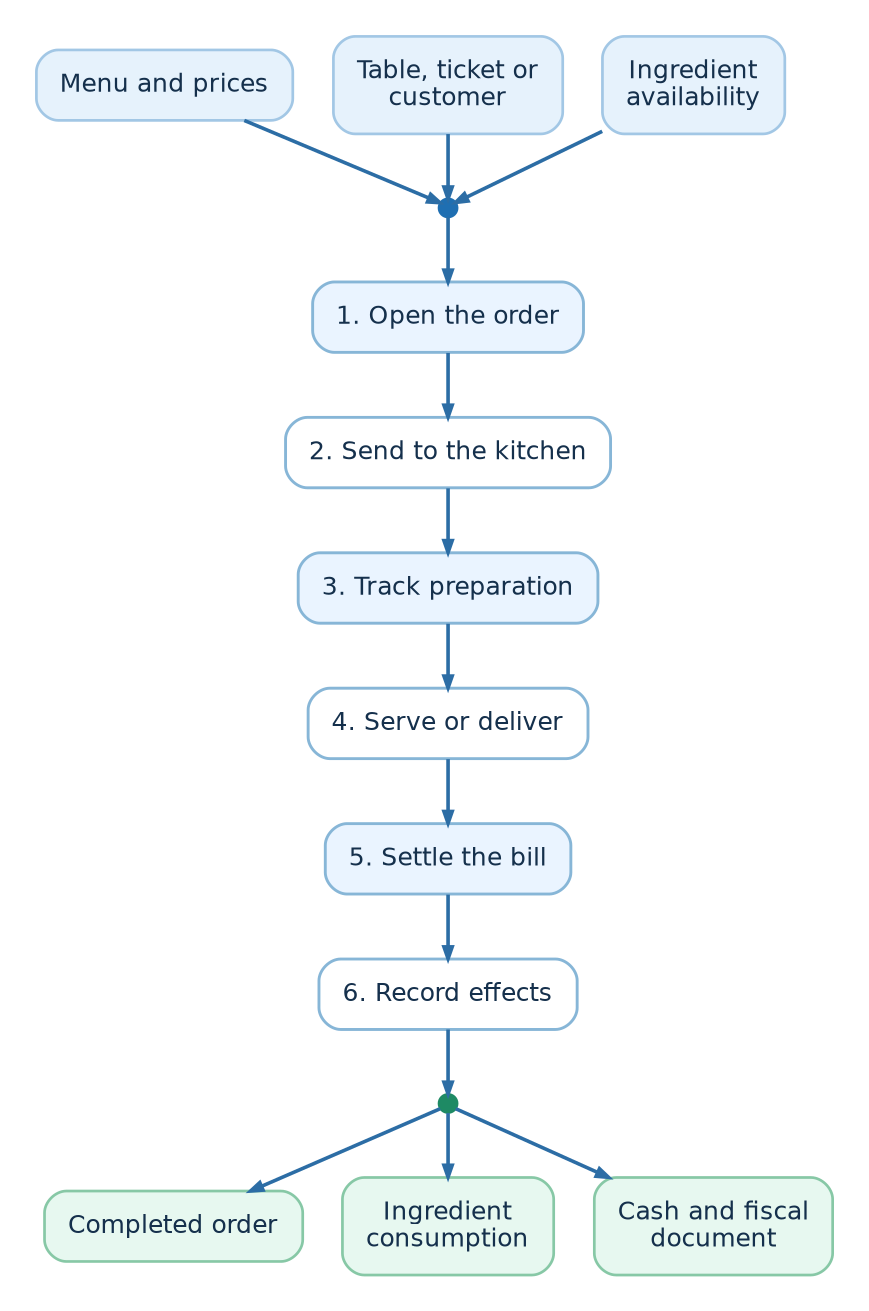
Orders, preparation, service, payment and operating consequences.
Open in new tab ↗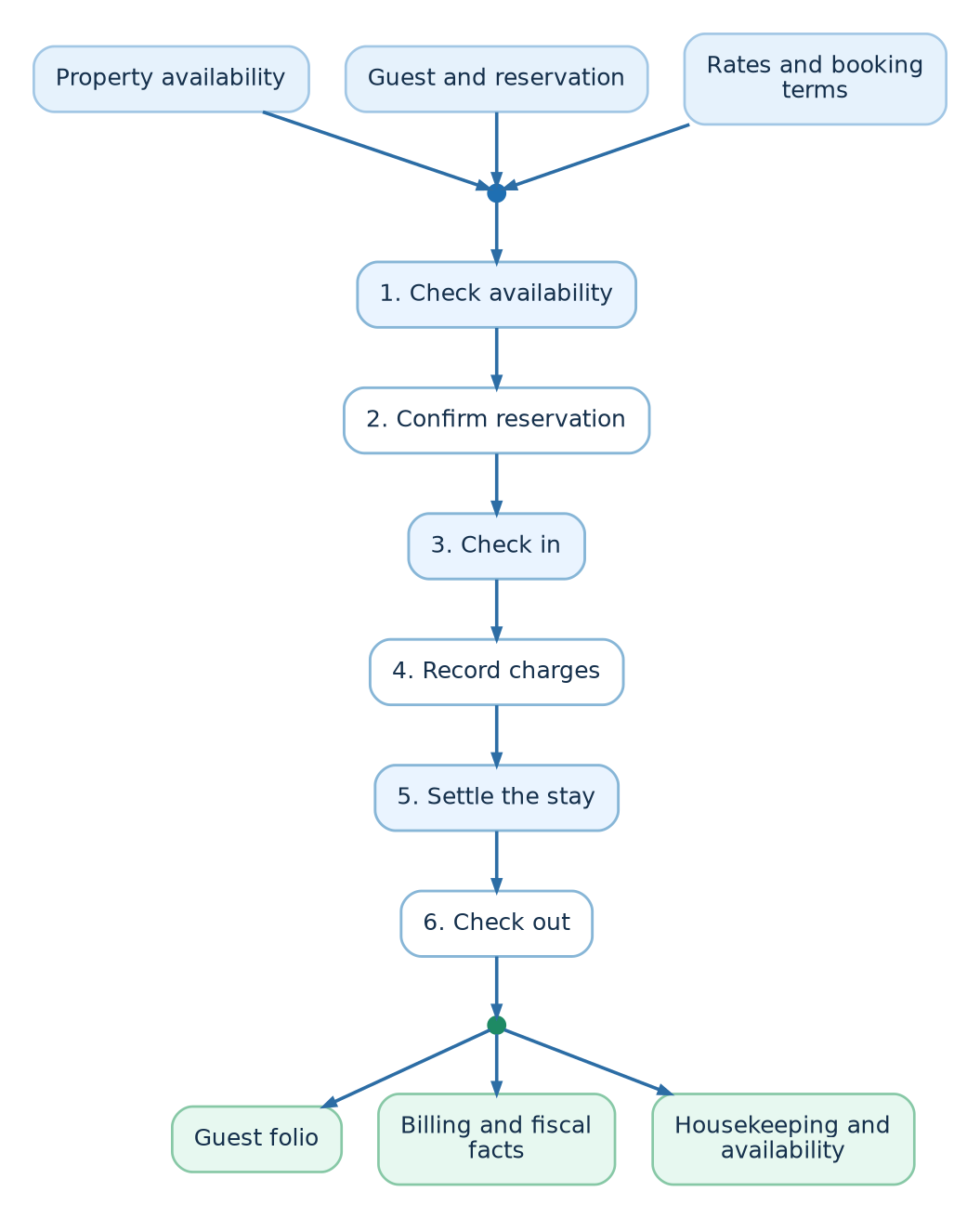
Availability, booking, stay, charges and closing.
Open in new tab ↗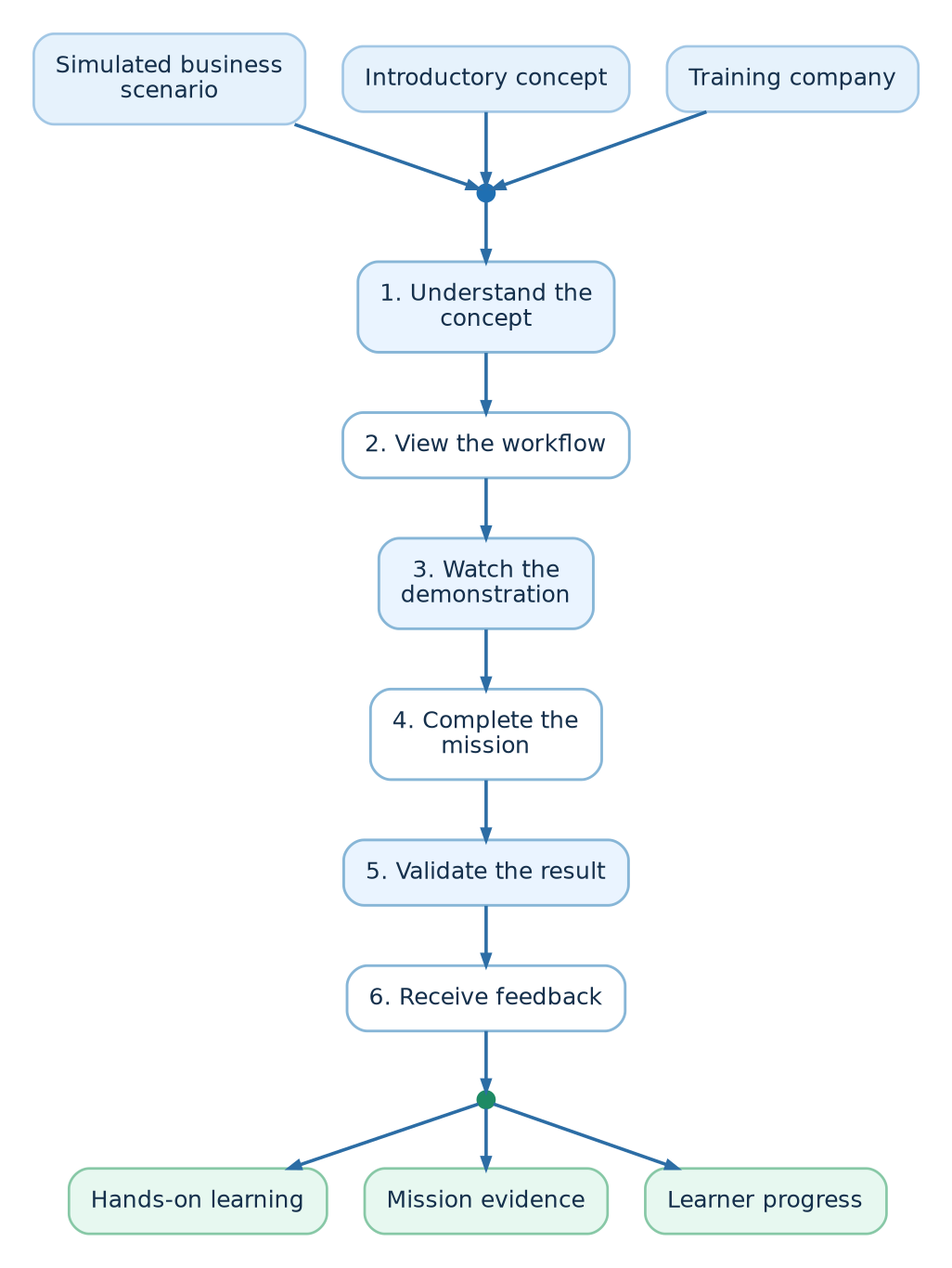
Business context, guidance, hands-on mission, validation and learning.
Open in new tab ↗Diagrams describe documented business models. Displaying a process does not certify that every stage is automated or enabled in every installation.
Detailed documentation ↗Obligations may arise from purchases and goods receipts, taxes, payroll or authorized entries.
A unique source document, creditor identity, amounts, installments, approvals, due dates and payment settlement.
Financial position, cash/bank accounts, accounting entries and reports.
Key rule: A purchase and its invoice must not create the same liability twice. Settlement, reconciliation and accounting are separate steps.
A materials requirement, approved purchase order and registered supplier.
Purchase order → verified receipt → goods entry and liability recording, according to the documents and business rules.
Inventory balance, costs, accounts payable and tax information, when applicable.
Key rule: Issuing a purchase order does not mean the goods have been received or payment has been made.
Quotation, sales order, over-the-counter sale or service delivery.
Confirmation → sales document → receivable → collection/payment, following the applicable rules.
Accounts receivable, cash, tax reporting, inventory and BI.
Key rule: A sale, payment capture, bank settlement and fiscal authorization are separate events.
Employee records, employment relationships, time entries and pay items for a pay period.
Calculation and approval → payroll closing → salary and statutory obligations.
Accounts payable, authorized payments, accounting information and reports.
Key rule: Closing payroll is not the same as executing a bank transfer. Taxes and statutory filings follow their own processes.
Customer request, asset, contract or support ticket.
Triage → estimate → work order execution → completion/acceptance, including activity records where relevant.
Asset history, parts inventory, billing, finance and performance indicators.
Key rule: Completing a work order does not authorize inventory deductions, billing or invoicing without the corresponding events.
Order, shipment or registered dispatch request.
Picking → packages → dispatch → tracking → delivery or return.
Order status, inventory movement, after-sales and any applicable freight reconciliation.
Key rule: Generating a shipping label is not proof of dispatch or delivery; these require separate evidence.
Availability search, rate, guest details and booking.
Booking → check-in → services/charges → check-out and closing.
Billing, finance, tax reporting and occupancy reports.
Key rule: A confirmed booking, payment receipt and issued fiscal document are distinct events.
Menu, table/tab, order or over-the-counter sale.
Order → kitchen/preparation → service → bill closing and payment recording.
Inventory, finance, tax reporting and operational reports, based on recorded events.
Key rule: A completed order is not necessarily paid; fiscal issuance and inventory deductions depend on the applicable rules.
On screens with linked help documentation, selecting a field and pressing Shift + F1 opens the relevant guidance. The documentation explains the field, its data sources, its effects on other modules and how to resolve discrepancies. Public help pages never receive private company data.
Documentation Center